
Sololearn
Mobile App
Sololearn
About this product
FREE programming courses to learn how to code. Learn Python, C++, JavaScript, C#, Swift, Java, Go, HTML, R, and more in this online academy
Why we tested it
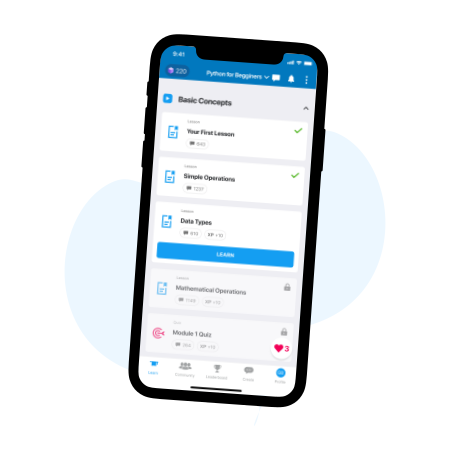
Sololearn caught our attention by successfully gamifying the often-daunting process of learning to code. While many platforms offer static tutorials, Sololearn distinguishes itself through a mobile-first, bite-sized approach that integrates interactive exercises directly into the learning flow. We tested it to see if it could truly bridge the gap between theoretical knowledge and practical application for beginners. By allowing users to write and run code snippets directly within the app, it solves the common problem of 'tutorial hell,' where learners consume content without building anything. Its community-driven environment and instant feedback loops make it a standout tool for those who need to practice programming in short, manageable bursts during their daily commute or downtime.
Who it's for
This platform is ideal for absolute beginners looking to explore multiple programming languages without the commitment of a formal bootcamp. It is also highly effective for busy professionals or students who need to brush up on specific syntax or concepts on the go. However, those seeking deep, project-based software engineering mastery or complex architectural theory may find the bite-sized lessons insufficient. If you require a comprehensive, long-form curriculum to prepare for a senior-level developer role, you should look toward more intensive, specialized alternatives rather than relying solely on this mobile-centric tool.
Real-world performance
In real-world usage, Sololearn excels as a supplementary tool for reinforcing syntax and basic logic. Users report that the app is highly effective for maintaining consistency, as the short, interactive modules prevent the fatigue often associated with long video lectures. The integrated code compiler is a significant performance highlight, enabling users to experiment with code immediately after learning a concept. However, feedback indicates that the user experience has shifted significantly toward a subscription-heavy model, which some long-term users find frustrating. While the core content remains high-quality and beginner-friendly, the reliance on an active internet connection and the limitations of the free tier mean it performs best as a secondary learning resource rather than a primary, standalone curriculum for professional development.
Key pros & cons
What we liked
- Interactive, bite-sized lessons for over 20 programming languages.
- In-app code compiler allows real-time execution and testing.
- Gamified experience with challenges and community-driven leaderboards.
- Accessible mobile interface for learning on the go.
What to watch out for
- Increasingly aggressive paywall for essential learning features.
- Lessons lack depth for advanced software engineering topics.
- Requires constant internet connectivity for most course modules.
- Subscription model can feel restrictive compared to free alternatives.
Reviews
No reviews yet. Be the first to review!